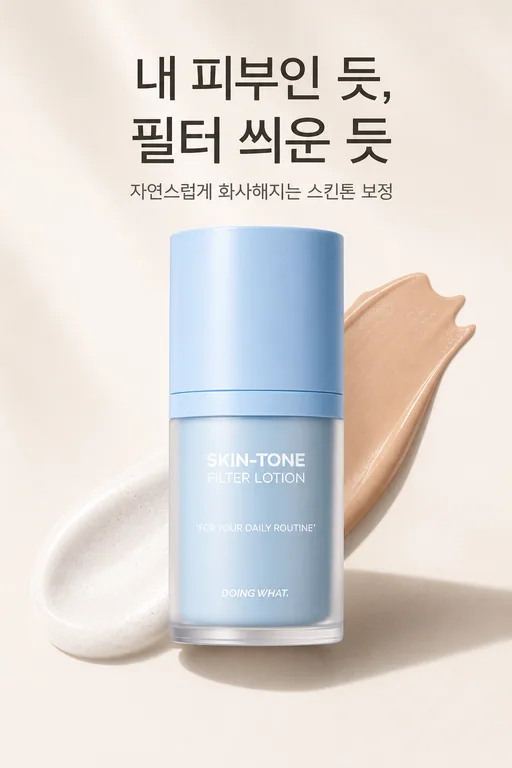
One product photo,
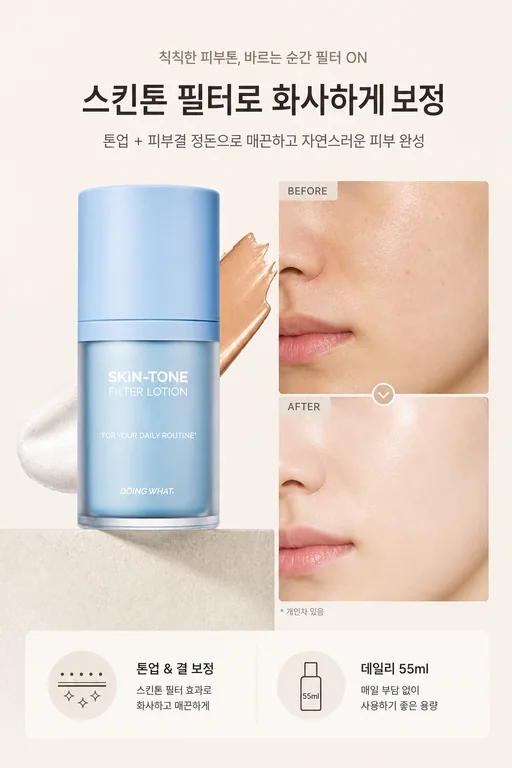
a full product page layout
No designer needed — you get a product page that knows the order a sale happens in, in one consistent tone from top to bottom.
A product page that knows how selling works
Built in selling order
Hook, pain point, the fix, key differentiator, lifestyle, final push — a 6-part flow, not a pile of pretty images.
Based on your product photo
It builds around the photos you upload, so it's your actual product on the page — not an imagined one.
One tone, top to bottom
Colors and mood stay consistent through the whole page. No sections that look like they came from different designers.
Store-ready ratio
Images come out in the vertical ratio store detail sections expect, ready to upload as-is.
Redo only what misses
No full regeneration — pick the one section that's off and remake just that.
Save it as an agent
Save the style and format as an agent, and the next product's page comes out in the same tone.
You can ask for it in chat, too
No need to open Content Studio. Paste a product photo into a new chat and Xeona calls the Product page image agent with a filled-in run card. Press Create and the full layout comes out.

Send a photo, review, download
Send a photo
Share a product photo, the product name, and what to highlight. One photo is enough to start.
Review
Check section by section and remake only the ones that miss.
Download and use
Download the finished set and upload it to your store.
Three minutes to hand off your first task.
Start freeJust type it like this
Frequently asked questions
Do I need a product photo?
Yes, at least one. A real product photo is what keeps the page true to your actual product.
How do I use the finished images?
Download them and upload to your store's detail page. Repetitive chores like product registration can be handed to web automation separately.